Order taking and entry
Digital orders are entered once instead of being copied from paper or phone into cashier and kitchen systems.
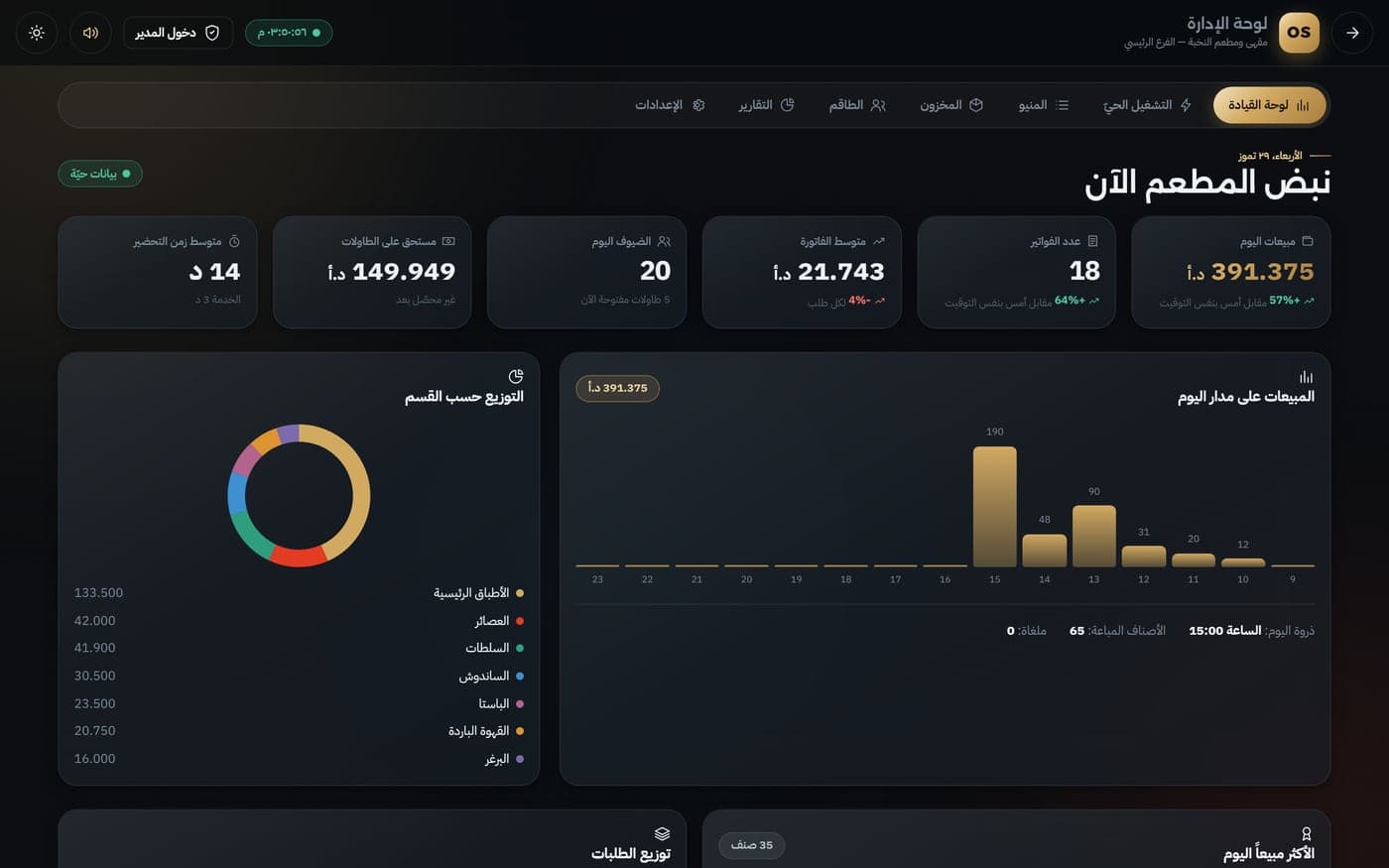
From order to kitchen to bill — no re-entry.A ready-to-deploy system connecting a QR menu with kitchen display, floor management, cashier and manager dashboard. Each order is entered once, routed automatically to the right preparation station, tracked by table, and converted into billing, operations reports and inventory movement.
The real value is not another polished screen. It is information moving automatically from the guest to everyone who needs it at exactly the right time.
Guest orders by QR
Order routes to kitchen
Floor sees status and calls
Cashier bills the same order
Manager sees reports and stock
In a smaller restaurant, the system may reduce the need to dedicate a full person to order entry or call follow-up on some shifts. In larger operations, savings usually appear as lower overtime, fewer errors and more orders handled by the same team. Final savings depend on restaurant size and workflow.
Try the order workflowDigital orders are entered once instead of being copied from paper or phone into cashier and kitchen systems.
Guests order and request service with a tap, letting staff focus on hospitality and delivery instead of repeated check-ins.
Every item routes to its station automatically, with ready and late orders clearly visible without constant calling.
Bills are built from the original order with payment, split and change, reducing repeat entry and manual matching.
Inventory moves with each order and sales, items and stations appear in one dashboard instead of end-of-day compilation.
One workflow reduces missed or duplicate orders and helps the same team handle more demand with less pressure.
A connected part of the system that cuts repeat entry and makes follow-up direct and clear.
A connected part of the system that cuts repeat entry and makes follow-up direct and clear.
A connected part of the system that cuts repeat entry and makes follow-up direct and clear.
A connected part of the system that cuts repeat entry and makes follow-up direct and clear.
The demo is a working ready system. On request, we tailor branding, data, permissions and workflow to your operation.